Name your reps
Place 1–10 powered replicators in one straight row. Name them left to right Rep 1, Rep 2, etc., stopping at your chosen count. Use one space, no duplicates or extra text.
ARK: SURVIVAL ASCENDED
BammBamms Bullet Crafter queues Advanced Rifle Bullets across your selected row of 1–10 Tek Replicators, returns to Rep 1 and repeats.
Free downloadWindows 11 x64 · Free download · No app account
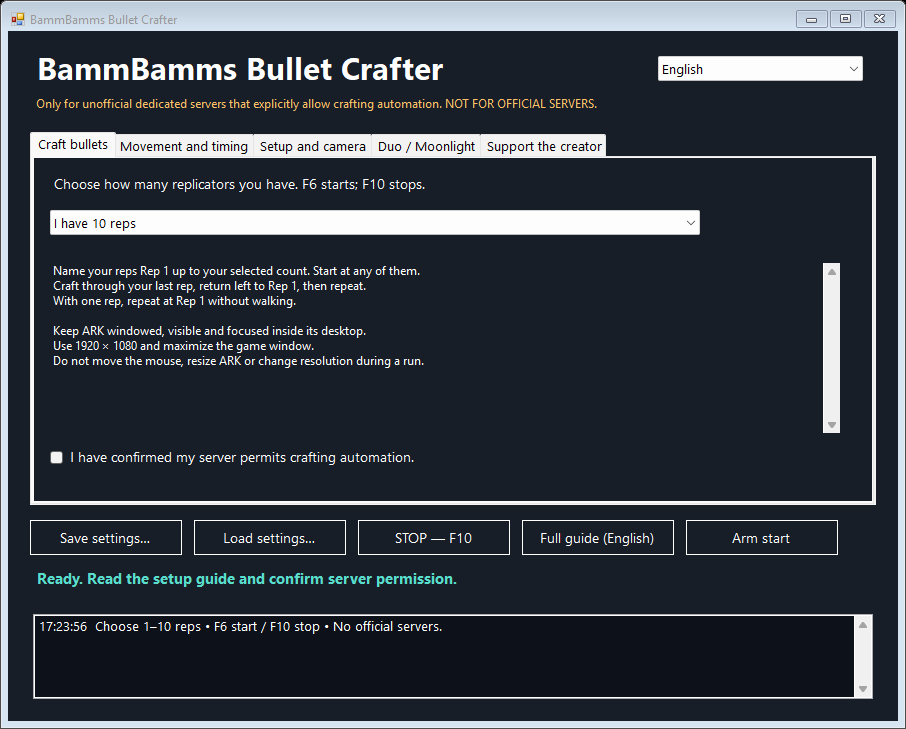
Choose 1–10 reps. Start anywhere within your chosen count. With one rep, the app stays put.
Select your rep count and language. Adjust sideways steps. Start with F6, stop with F10. The app waits 10 seconds for each inventory.
Designed around Cybers Structures replicators with linked dedicated storage. Other mods, layouts and server settings may differ. The updated app passed automated checks; live testing is still needed.
These languages translate the controls and setup guides. Keep ARK in English and use English OCR. Item searches, Rep names and technical run logs remain in English.
Place 1–10 powered replicators in one straight row. Name them left to right Rep 1, Rep 2, etc., stopping at your chosen count. Use one space, no duplicates or extra text.
Use a 1920 × 1080 desktop. Keep ARK windowed and maximize its window. Keep resolution and UI scale unchanged. A large stream with a tiny game window still produces unreadable text.
Use first-person view. Stand on a clear, level walkway parallel to the row, within access range. Face a rep square-on and aim at its middle until the full name panel is readable. Keep the camera level and your distance steady.
Check power, metal, gunpowder and linked storage. Close older controllers. Choose your rep count and confirm server permission. Focus ARK facing a named rep within that count and press F6. Watch the first full loop; reduce the 135 ms step if you overshoot.
Duo separates the game and script from your normal mouse. Moonlight displays that desktop. Run both ARK and the app there before minimizing the viewer.
Run both ARK and this app inside a separate Duo desktop. 1. Install Duo and Moonlight from their official sources. 2. Create a Duo session with a Windows account and account password (not the Windows Hello PIN), start it, then pair with Moonlight. 3. Set Moonlight to 1920 × 1080 at 30 FPS and reconnect. 4. Start Steam, ARK and this app inside that desktop. 5. Keep ARK windowed and maximized. Alt+Enter can help with menus. 6. Test a loop, then minimize ONLY the Moonlight viewer. 7. Restore Moonlight, focus ARK and press F10 to stop. Keep the PC awake and Duo running. Hardware resources are shared. Minimized viewing worked on the creator's setup; test your own. Logout, sleep and disconnected operation have not been confirmed.
Extract the ZIP and open the app. Includes translated in-app setup instructions and a detailed English text guide.
Requires Windows 11 x64, .NET Framework 4.8 and English Windows OCR. Keep ARK in English.
Unsigned portable community app. No installer, ads or updater inside the app. ARK, Duo and Moonlight are not included. Do not disable antivirus to run it.
Only for unofficial dedicated servers that explicitly allow crafting automation. NOT FOR OFFICIAL SERVERS.
Full guide (English)No advertising wait is active. No advertising account is approved or connected.
No. Ten A presses queued about 1,000 bullets on the creator's server. The app does not count materials, existing queues, storage capacity or completed output. Server settings can change the amount.
An unloaded inventory may be skipped after world view is confirmed. Other errors stop the route. Send F10 inside the ARK session to stop. A local last-stop.png may contain chat or personal information: review it before sharing.